





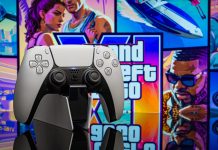












It’s finally here. After nearly 15 years of GTA V and GTA Online, GTA VI has hit PlayStation 5 and Xbox Series X|S consoles. But not PCs just yet.
Also: Best early Black Friday gaming laptop deals
If you’re a die-hard PC gamer, you’ll have to wait until early next year at the soonest for an official port from Rockstar. However, if you already have a PlayStation 5, you can technically play GTA VI (also called GTA 6) on your PC right now using the free PlayStation Remote Play app to stream the game from your console to your computer.
While not a true way to run GTA VI on PC hardware, it is a great option for sharing gameplay via livestreams or Discord calls with friends.
How PlayStation Remote Play works on PC
The PlayStation Remote Play app allows you to stream your PS5 games to just about any PC, laptop, or even smart TV. All you need is a Wi-Fi connection, a DualSense controller, and a USB-C cable.
 Sony/Playstation/Rockstar/ZDNET
Remote Play has been around since 2006, when it was first introduced and allowed you to stream certain PS3 titles to your PlayStation Portable handheld. In recent years, it has morphed into a sort of hackneyed cloud gaming platform, giving you the ability to stream PS4/5 titles to PCs and smart TVs.
Also: You can play retro console games on modern systems – 3 ways
I’ve been using it for a little while now on my 2024 Hisense U8, which I have set up in my bedroom to sink a little time into GTA Online or Gotham Knights while my spouse catches up on The Gilded Age on the living room TV. I’ve also started using it on my gaming desktop to stream gameplay to friends over Discord, which is a neat little trick even if it does cause occasional bitrate issues.
How to set up PS Remote Play to play GTA VI on PC
What you’ll need: To stream GTA 6 to your PC, you’ll need a PS5 with the game loaded onto it, since the software will actually run on the console’s hardware and will only send a video feed to your computer. You’ll also need a DualSense controller and a USB-C cable, as the PS Remote Play app doesn’t support keyboard and mouse inputs for the majority of titles. Connecting your DualSense controller to your PC via Bluetooth won’t let it play well with the app, as it requires a dedicated, wired connection. Also, plan ahead for downloading GTA VI’s massive 223GB game file. It could literally take all day.
 Sony/Taylor Clemons/ZDNET
To enable Remote Play:
- On your PS5 with GTA VI installed, go to Settings > System > Remote Play and enable Remote Play.
- Once toggled on, download the free PS Remote Play app to your PC.
- Make sure your PS5 and PC have a stable internet connection to stream games, and connect your DualSense controller to your PC.
- Once PS Remote Play is downloaded, use your PlayStation account to log in and set up a connection between your computer and PS5 console.
- The app will automatically search for your PS5 and establish a connection.
- Once connected, you can launch GTA VI and stream it to your PC.
Also: I just built my first game in Twine – no code or AI required
If your PS5 doesn’t show up, check your network settings and try again. Each PS5 console is assigned an ID number that will be shown once you’re done setting up the Remote Play app. This lets you easily see which console you’re streaming from if you have multiple in your home. Having a console-specific ID also helps speed up troubleshooting and customer service reports if you have an issue too big to fix on your own.

Story via Zdnet. Read the original article