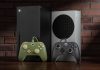




















Ahead of the release of Grand Theft Auto VI, scheduled for November 19, 2026, specialists have published a guide for image settings on Xbox Series X and Xbox Series S consoles. Since Rockstar Games has targeted the game for a frame rate of 30 frames per second, changing system settings will not unlock a higher frame rate. The primary goal of these settings is to ensure maximum image clarity, accurate color reproduction, and minimal input lag. Before beginning, we recommend checking that the included HDMI cable is connected, that your TV supports 4K, and that enhanced HDMI mode is enabled on the port you are using.
For compatible TVs, we recommend setting the resolution to 4K UHD, and when connecting a computer monitor, select its native resolution of 1440p or 1080p. If you have to choose between 120Hz at a reduced resolution and 4K at 60Hz, we recommend prioritizing the higher resolution. In the video mode settings, we also recommend enabling HDR10, variable refresh rate (VRR), and automatic low latency mode (ALLM). Dolby Vision for gaming should only be enabled if the technology doesn’t increase input lag or disable other display features.
Separate recommendations cover color rendition and brightness calibration. For standard content, it’s recommended to leave the color depth at 8-bit, as the console automatically switches to the appropriate profile when HDR is enabled. TVs should use the standard color space, while full-range RGB is recommended for computer monitors. The final step should be a system HDR calibration with the TV or monitor’s Game Mode enabled. After launching GTA VI, you’ll also need to check the in-game brightness settings to ensure the image displays correctly both in the illuminated streets of Vice City and in dark rooms.
@GameGPU_com
Join the discussion, share your benchmark results, and debate hardware performance in X.
Story via En Gamegpu. Read the original article