




















 Nwz/Shutterstock
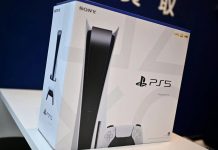
The PlayStation 5 Pro is a great current-gen console — one that’s been in high demand for playing Rockstar’s “Grand Theft Auto 6.” Unfortunately, demand is so high that supply has become limited, making the console currently cost much more than its regular price on the used market. As such, GameStop raised the price of a used PS5 Pro with a disc drive to $1,499.99 in October ($1,399.99 for the digital edition), which is quite expensive. If you manage to buy one, you’ll definitely want to take full advantage of it. That means you need a TV or monitor equipped with 120 Hz and variable refresh rate (VRR) support.
A major reason consumers buy a PS5 Pro is the visual upgrade in games through its AI-driven upscaling technology. As such, Sony offers enhancements for specific titles compatible with its premium console. That often means you can get 4K visuals and steady FPS, or high FPS with decent graphics, since different games let you choose what to prioritize — all of which looks even better with true HDR. Sadly, not all TVs and monitors can handle all these features, so you’d miss out on everything offered by this gaming system.
If you’re unsure whether your chosen screen supports a PS5 Pro, you can verify by looking up the TV model online for its native resolution and VRR support. For VRR specifically, you can also check your TV’s settings; for example, on a Sony TV, you’ll find it under Channels & Inputs or External Inputs > HDMI Signal Format. From there, look for Enhanced Format (VRR) or Game Mode. Keep in mind that Sony’s VRR (for the PS5 Pro) is only supported on specific HDMI ports (HDMI 2.1 ports).
Why do 120 Hz and VRR support matter on your TV or monitor?
 brizmaker/Shutterstock
When someone mentions 120 Hz, think of it as how often the screen refreshes its image. So the higher the number, the more often it refreshes things — which is why, when you’re pushing 120 FPS, you want your chosen TV or monitor to keep up — any delay means you aren’t taking advantage of those extra frames supported by the console and title.
Generally, it’s 1:1, so 120 FPS is compatible with a 120 Hz screen. Some standard budget entry level TVs and monitors may support only up to 60 Hz; TV models like LG’s lower-tier UQ or UR series, as well as Samsung’s base Crystal UHD models, have 60 Hz panels. That means the hardware limits you, and you’ll only perceive 60 FPS.
VRR is a little different. Its job is to synchronize your display with your console’s FPS in real time by adjusting its refresh rate, eliminating screen tearing, stuttering, and noticeable input lag. As such, you can think of it as the performance factor. While it’s nice to have hardware capability on both ends between the TV/monitor and your PlayStation 5 Pro console, it doesn’t matter if they can’t consistently match each other. The last factor is response time. Response time refers to how quickly pixels wake up — you’ll want a screen with fast response times to avoid ghosting and blurring.
Select the right smart TV for your PlayStation 5 Pro
 PJ McDonnell/Shutterstock
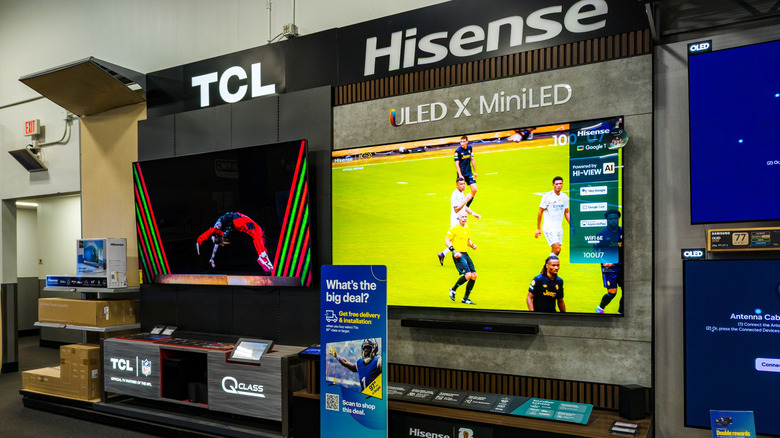
If you’re in the market to upgrade your TV for gaming, consider a Hisense U7SG or an LG C6 OLED 2026. While both TVs are well-rated by experts, their MSRPs are a bit high ($1,299.99 to $1,999.99 for a 55-inch), even though they’re usually mid-range — steep discounts make them much more affordable. If you’re really strapped for cash, you can go for a TCL QM7K if you can find one in stock; it offers great value for money.
However, if none of those picks work, consider using a small checklist while shopping, since you’ll want to make sure the box or published specs mention a few crucial features. One is that the TV has native 120Hz and supports clean motion handling. Two, it has HDMI 2.1 ports, since you’ll need that for VRR, plus support for auto low latency mode. Third, ideally, you’ll want an OLED panel for the best visual experience and fast response times.
OLED TVs are still pretty expensive, so you might need to compromise. Alternatively, if on a tighter budget, mini-LED delivers high brightness and avoids the risk of screen burn, which can happen on OLED TVs.
Story via Bgr. Read the original article