

















Look, we weren’t all lucky enough to lock in PTO for the release of Grand Theft Auto 6. Not everyone gets to write a review of the most anticipated video game in recent memory, or live blog their first 24 hours roaming around Vice City.
A lot of folks are still working away, daydreaming about getting back on the sticks and knocking off corner stores as Jason and Lucia right now. Some people are even on work trips or vacations away from their home consoles right now – let’s keep them in our thoughts.
But even if you find yourself away from home, that doesn’t mean you’re completely locked out of playing GTA 6. Sure, the game may currently be console-locked to the PlayStation 5 and Xbox Series X and S, but there are still clever ways to get the game booted up when you’re on the go.
Here’s everything you need to know about the remote play features that you’ll need to take this modern Bonnie and Clyde story on the road.

PS5 and Xbox Remote Play features will work with a console setup at home
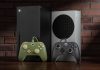
So long as you have a PS5 or an Xbox with GTA 6 downloaded and ready to go, you can experience the game through smaller devices even when you’re away from home.
Both modern consoles support remote play, a feature that lets you stream your game from your home setup.
If you’re looking to turn on the Xbox’s remote play feature, you need to access the Profile & System settings in the Xbox guide. From there, you need to navigate to the Devices & Connections menu and choose the Remote features option.
You’ll need to enable the remote features and put your console into sleep mode in order to pair your chosen remote play device. Remote play devices include smartphones, tablets and Windows computers.
Gamers who own a PlayStation 5 will need to follow similar steps to get remote play functioning on a mobile device. Within the PlayStation’s settings menu, navigate to the System tab and choose Remote Play. Toggle the Enable Remote Play option. From there, all of the necessary device pairing and gameplay setup will happen through the PS Remote Play app, which you can download on your handheld device.
Whether you own a PlayStation or an Xbox, you’ll want to ensure your console settings are tuned so it stays connected to the internet in rest mode. You’ll also need to enable the console to turn on via a network connection. These settings will allow you to start a remote play session anytime, even if you’ve already left your home.

Do some handheld heisting on the PlayStation Portal
If you’re using PlayStation’s remote play feature, you don’t have to fiddle around with gaming tablets or third-party handheld devices in order to find a comfortable way to play GTA 6. Sony’s PlayStation Portal is the perfect console accessory for natural gameplay, since it retains the DualShock controller design.
The PlayStation Portal connects to the PlayStation 5 for remote play the same way as any other device. It’s worth noting that the PlayStation Portal also allows PlayStation Plus Premium subscribers to access a limited library of cloud streaming titles – but this won’t help you with GTA 6. If you want to play Rockstar’s new game away from home, you still need to make sure to leave your console on before you leave the house.

If all else fails, you’ll have to lug your console around
GTA 6 isn’t coming out on PC for a while still. That limits how many options you have when it comes to taking the game on the go with you. If (for whatever reason) you don’t have access to any remote play options, that leaves you with only the most inconvenient and unwieldy way to take the new crime simulator with you on the road.
You’ll have to lug around your PS5 or Xbox wherever you go to get in some GTA time – but hey, at least the gaming industry’s deteriorating respect for physical media means you won’t have to keep track of a disc.
The PS5 Slim is probably the easiest current-gen console to carry with you, since the digital edition weighs less than 6 pounds. But you’re giving up the best possible performance available on the PS5 Pro.
Either way, you’ll be carrying around a large, expensive piece of hardware, so this option should only be considered if you really can’t get remote play functioning for whatever reason.
Yes, you have to have a console for Xbox Cloud Gaming too
Microsoft’s video game ecosystem is huge, with Game Pass and streaming options available for PC players. But the Xbox brand isn’t offering gamers a cheat code to play GTA 6 on their beefy rigs (or any convenient handheld devices).
GTA 6 is only available on Xbox consoles with Xbox Cloud Gaming at this time. The upside is that this option lets you play the boundary-pushing new game on the Xbox One, which is very close to being two console generations old.
The bad news is that the value proposition of Xbox Cloud Gaming has become notably worse in recent months, as Microsoft did away with unlimited service for Game Pass subscribers. Even if you use this service to play GTA 6 on the go with your older console, you’ll get a maximum of 15 hours of playtime before you have to cough up more cash.
At that point, you’re better off biting the bullet on a current-generation console and considering the available remote play options.

Story via Cnet. Read the original article