


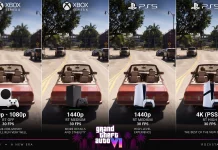
















Okay, so GTA 6 is out in under two weeks—dropping on the 19th of November across Xbox Series and PlayStation 5 consoles. The game is a whopping 212GB, however, which means us normal people who don’t have blazing high-speed internet may end up having to wait hours if not days for th,e game to download. But it doesn’t have to be this way!
Normally, pre-ordering the game now will net you the pre-load on Xbox Series consoles. This means you can get ready ahead of time for Rockstar’s massive game, without needing to die waiting for the game to download on launch day. After all, don’t forget that there will be no physical edition of the game for you to make that installation process smoother.
But what if you can pre-load Grand Theft Auto VI now without pre-ordering the game? You can certainly do that on Xbox Series consoles—all you need is your phone!

There are legit reasons to do this. You can pre-load the game now without having to put money down, because really, not pre-ordering a digital game is a reasonable stance. There are infinite copies! That and maybe you just want to get a console or a storage ready with the game installed. You also, obviously, do need to buy the game still. A pre-load won’t just launch for free. I wish it did.
Either way, installing Grand Theft Auto VI without pre-ordering the game is simple:
- Install either the Xbox App on your iPhone or Android-enabled device.
- iOS users can grab the app here. Android users can head to Google Play or the Aurora Store.
- Log into the app and set up your console. If you have a new console, go for the topmost, but you’re very likely setting up your existing console so go for the latter.
Make sure you’re near your Xbox for this process!


Once you’ve gone through all that, the console will be hooked to your app. Now we can install the game!
There are two ways you can go about this, but they all involve finding the base game of Grand Theft Auto VI. Right now, the game is being prominently featured on the front page of the app, so finding it makes it easy! Of course, you can use the search button, but we’re going to take the easy route:


- Tap on the Grand Theft Auto VI banner
- Scroll down and find the base game.
- Tap on that and press Install!
And that’s it! The game should begin pre-loading. If there is no space on the console, you will be warned and asked to delete some games. More information on how you can make space for Rockstar’s behemoth of a game can be found on the net, but we’ll have our own little guide on how you can manage to free some space up without having to delete too much across your PlayStation 5 and Xbox Series boxes.
I also don’t know if this trick works on PS5 boxes. There may be an equivalent; it’s worth looking around!
Grand Theft Auto VI launches on PlayStation 5 and Xbox Series consoles on 19 November, retailing between 80-100 USD and featuring a massive collector’s edition for four times that high-end price! The game will presumably launch on PCs in the future, but it will not launch on Xbox One nor PlayStation 4 conoles.
Enjoying DayOne? Do us a favour, and make us a ‘Preferred Source on Google‘ – that way, you’ll only be delivered more gaming coverage from our team.
Want to get involved?
There’s plenty of ways to become a part of DayOne.
Head over and let us know your thoughts in the DayOne Forums, the perfect place to chat about games if you’re a little more old-school and prefer things in a longform form, and if you mainly play on PC, join our Steam Community to connect with other members and maybe make some new friends!
Prefer the chaos of live and fast moving conversation? Come and make some noise in the lively DayOne Community Discord Server instead. If you’re rocking a DayOne Membership, both places give special access for our supporters, and you’ll unlock a ton of exclusive content, just for you.
Story via Playday One. Read the original article