






























I’ve spent the last few months staring at my Alienware OLED and wondering whether I was actually getting my money’s worth out of it. Sure, modern games can look spectacular on an HDR display, but a surprisingly large chunk of my library predates HDR altogether.
I’ll admit my single-player game library mostly consists of the titles I grew up playing instead of the latest AAA releases, and most of them were built around an era when SDR was the standard. That’s what got me wondering what would happen if I dragged them, kicking and screaming, into the modern display era.
So I dug through my backlog for games that were never designed with today’s HDR monitors in mind and found five particularly interesting candidates. They’re old, they’re ridiculously easy for my RTX 4070 Ti to run, and they have absolutely no business looking the way they do on an OLED. That’s where NVIDIA’s RTX HDR comes in.
DirectX 9 games weren’t built for HDR displays
HDR back then didn’t mean what it does now
DirectX 9 arrived when SDR displays were the rule, not the exception, so games built around it were never designed to send a modern HDR signal to your monitor. Their color pipelines, tone mapping, and output were fundamentally designed for SDR.
So, if I wanted to play my all-time favorites like Burnout Paradise or Batman: Arkham Asylum in HDR, I’d effectively be asking for a DVD player to understand Dolby Vision.
There are exceptions, of course. Some Source-engine games advertised HDR rendering, but that wasn’t HDR output. The engine could calculate lighting with a much wider range of luminance values, then tone-map that information back into an SDR image. The lighting was HDR, sure, but the signal that left the PC never was.
Now, modern monitors support HDR much more easily, but they need actual HDR output to properly use their capabilities. Internal HDR lighting alone can’t suddenly make your OLED’s highlights brighter or its blacks deeper. That’s why these old games are so much more interesting to me than they’ve ever been. My GPU has so many tricks up its sleeve for my old games that there’s always something new to try, be it DLSS 5, RTX Remix, or RTX HDR.
RTX HDR makes these old games feel strangely new
My OLED finally had something worthwhile to show me
I bought my Alienware AW2726DM a few months ago, and while the 1440p 240Hz OLED panel has been fantastic, I couldn’t shake the feeling that I wasn’t using all of it. OLED monitors are getting cheaper, thankfully, but HDR is still one of those features that’s easy to forget until something actually uses it properly.
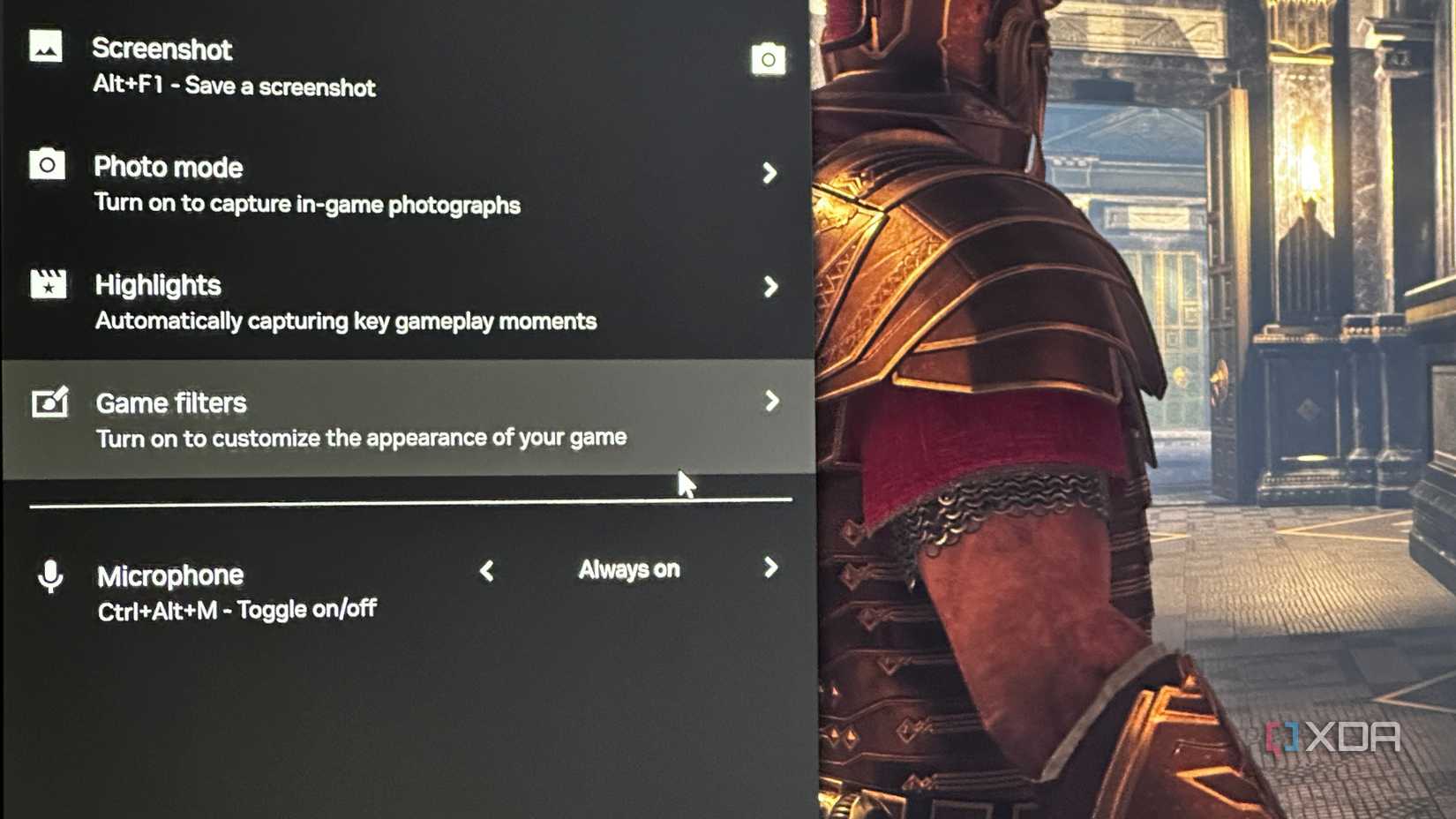
That changed when I fired up NVIDIA App’s overlay and enabled the RTX HDR filter. I deliberately started with Burnout Paradise, a game that has no concept of modern HDR, and the difference was immediately ridiculous. Sunlight had actual intensity, bright skies stopped looking like flat white paint, and explosions had a punch that simply wasn’t present in the original SDR image.
Batman: Arkham Asylum was even more convincing. Its perpetually gloomy environments gave RTX HDR plenty to work with, and the OLED’s ability to make individual highlights explode against genuinely dark surroundings made Gotham feel considerably more atmospheric.
To enable RTX HDR, make sure you have the Nvidia Overlay enabled in the Nvidia App. You’ll also need Windows’ HDR enabled, and Auto HDR disabled.
Assassin’s Creed Brotherhood went in the opposite direction. Its bright Italian streets and sunlit architecture took on considerably more depth, and the highlights looked like they were actually coming from somewhere rather than being painted onto the screen.
Despite these aforementioned games being some of my favorites, I saw the most significant difference when I played a title I never cared too much for — F.E.A.R. 2. Its combination of pitch-black corridors and violent flashes made the HDR effect ridiculously effective. It was the kind of transformation that made me wonder why I had been playing these games in SDR for even a single day after buying my new monitor.
When it came to Black Mesa, the difference was perhaps the most interesting of all. Its Source-engine heritage made it a perfect reminder that internal HDR lighting and actual HDR output are two very different things.
RTX HDR isn’t free, but that’s hardly a problem here
My RTX 4070 Ti has plenty of frames to spare
RTX HDR does have a performance cost, and pretending otherwise would undermine the whole experiment. The filter needs GPU resources to process the game’s output, so you will lose some frames compared with running the same title in plain SDR.
The good news, however, is that these are DirectX 9 games, after all. My RTX 4070 Ti is not exactly fighting for its life trying to render these decade-old games.
Most of these games already run at hundreds of frames per second at 1440p, leaving an enormous amount of headroom for RTX HDR. Losing a small percentage of that performance is practically meaningless when my AW2726DM tops out at 240Hz anyway.
That makes RTX HDR particularly compelling for older games. The performance trade-off that might be difficult to justify in a demanding modern title becomes almost laughable when you’re dealing with hardware that far exceeds these games’ requirements.
For me, that’s ultimately what makes RTX HDR so compelling here. These games don’t need more performance, but they sure look better when you give them a modern visual treatment using newer hardware and software tricks.
My old games still have plenty left to give
I bought an OLED because I wanted better-looking games, but I hadn’t considered that some of the biggest gains would come from games I already owned. Even without tricks like adding RTX Remix, these games, when given deeper colors, can shine brighter than ever, and even take on a new life, years after you played them for the last time.
PC gaming has always been unusually good at refusing to leave old software behind, and RTX HDR gives that philosophy another neat little trick. My OLED isn’t just something I bought for the games coming next. It’s making the games I already loved feel worth revisiting, and that might be the best use for it yet.
Story via XDA Developers. Read the original article