Xbox is testing two new ways to play its cloud games, and one of them doesn’t require a controller at all.
Announced on Xbox Wire on 4th November, the phone controller preview is rolling out on supported TVs wherever Xbox Cloud Gaming is available. The phone option – which works with both Android and iOS devices – lets you use your phone “as a controller when you don’t have one nearby”. Connect to your TV via QR code, and the controls open in your phone’s browser.
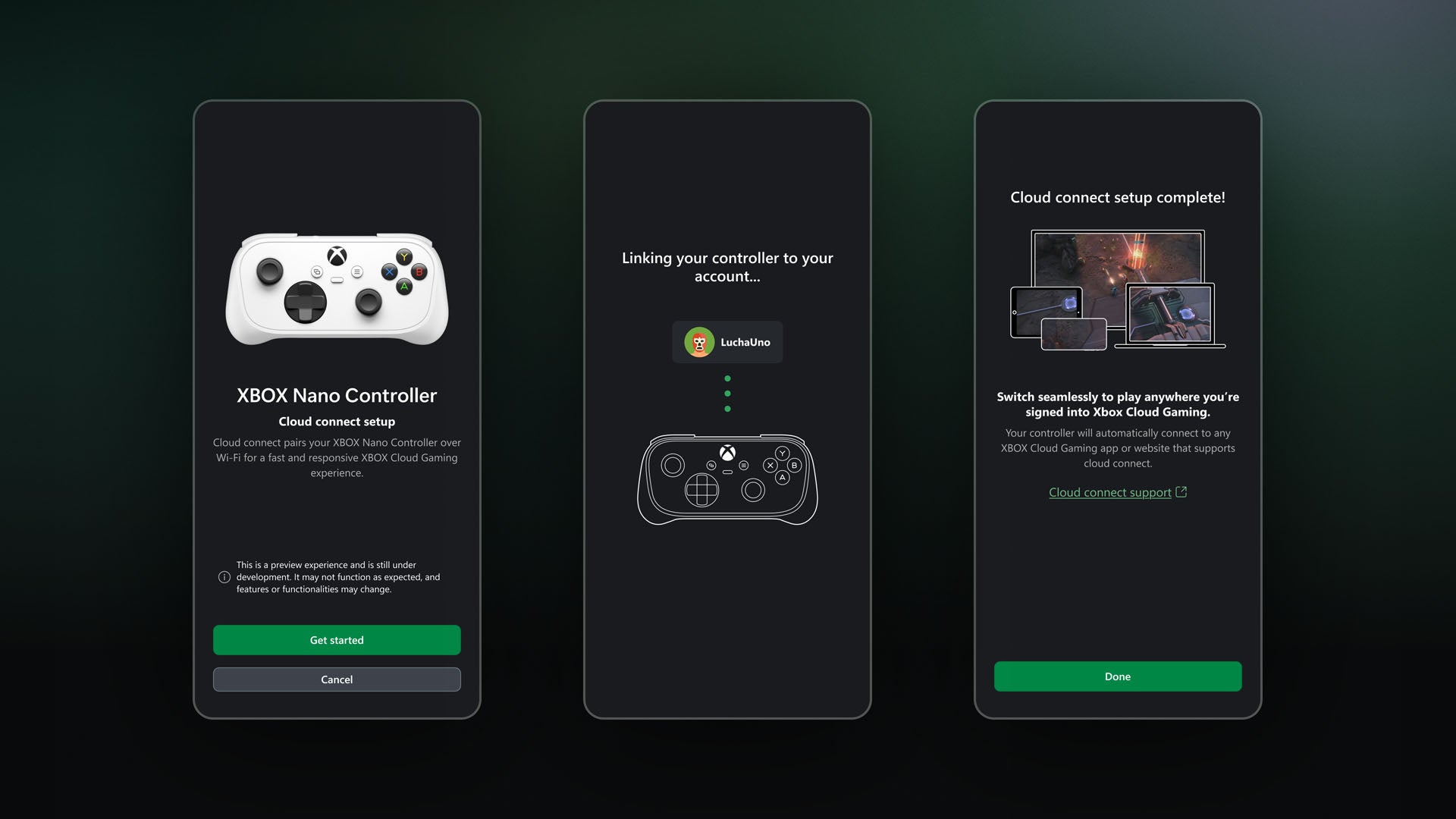
The second preview, called cloud connect, is currently limited to the US and lets the new Xbox Nano controller talk to your cloud session over wi-
fi instead of pairing directly with your TV to “help reduce input latency, so gameplay feels more responsive”.
To try out the phone controls yourself, switch on Preview Features under Settings > Account in the latest version of the Xbox smart TV app.
Xbox has published a setup guide with full instructions, although you should note that both experiences “are still being tested”, so the availability and supported games or devices “may be limited while [Xbox] learns from your feedback”.
ICYMI, as of yesterday, anyone in the Xbox Insider Program can try Microsoft’s updated Xbox PC app. The company claims it now boots up 60% faster, several pages can launch up to 50 percent faster, and in-app windows can open up to 65 percent faster.
Story via the original publisher. Read the original article